
Why Monero Mining Still Matters in 2026?
In an era where Bitcoin mining has been completely industrialized—dominated by massive data centers filled with proprietary ASICs—Monero stands as a deliberate exception. While most proof-of-work cryptocurrencies have been taken over by industrial ASIC farms, making home mining impractical for anyone without a warehouse and a cheap power contract, Monero was built differently.
Monero (XMR) continues to dominate as the leading privacy-focused cryptocurrency in 2026, thanks to its ASIC-resistant RandomX algorithm that keeps mining accessible to everyday users. This means your desktop computer can compete with dedicated mining hardware in a way that is simply impossible with Bitcoin or Litecoin.
People usually come to Monero mining for one of two reasons. They either care about privacy and want to support the network, or they think mining is an easy way to print coins. Only one of those reasons survives contact with reality. Monero mining still works. It still secures the network. It still pays out. What it does not do is magically turn spare hardware into passive income.
This comprehensive guide covers everything you need to know about mining Monero in 2026: what Monero is, how the RandomX algorithm works, which hardware to use, how to set up your wallet and mining software, how to choose a pool, and whether mining XMR is still profitable.

What Is Monero? Understanding the Privacy Coin
Monero is a secure, untraceable, and resilient digital currency. Launched in 2014, it was built from the ground up to prioritize financial privacy—a feature that has become increasingly valuable in an era of growing surveillance and regulatory scrutiny.
The Privacy Difference
Unlike Bitcoin, where every transaction is permanently visible on a public ledger, Monero obscures the sender, recipient, and transaction details through advanced cryptographic techniques. This makes Monero the preferred choice for users who prioritize financial privacy.
Monero uses several privacy technologies:
-
Ring signatures: Mix a user’s account keys with public keys from the blockchain to obscure the origin of a transaction
-
Stealth addresses: Create a one-time address for each transaction, making it impossible to link payments to a recipient’s published address
-
RingCT (Ring Confidential Transactions): Hide the amount of each transaction
Market Position
Monero’s market cap consistently ranks in the top 20 (CoinMarketCap), reflecting strong adoption. With increasing surveillance and regulatory scrutiny, demand for private transactions has surged. Monero’s active development community ensures continuous improvements in privacy and efficiency.
The Tail Emission Model
Monero’s mining rewards system is unique. Rather than tapering rewards to zero the way Bitcoin’s halving schedule does, Monero introduced a tail emission model in 2022. Block rewards are fixed at 0.6 XMR per block and are confirmed every two minutes. This tail emission keeps miner incentives in place indefinitely rather than tapering rewards to zero.
There is no halving. The reward stays at 0.6 XMR per block, which means miners can always expect a consistent reward structure. For miners, it removes one of the major long-term uncertainties of most other proof-of-work coins.
The RandomX Algorithm: Why CPUs Beat GPUs
Monero uses the RandomX proof-of-work algorithm, which was designed specifically to run efficiently on general-purpose CPUs. Understanding how RandomX works is essential to understanding why Monero mining is different from every other major cryptocurrency.
What Makes RandomX Special?
RandomX is a proof-of-work algorithm designed to reduce the efficiency advantage of specialized hardware by aligning computation with general-purpose CPU architectures. Rather than maximizing raw throughput, the design emphasizes memory latency sensitivity, instruction diversity, and execution unpredictability.
RandomX requires at least 2GB of L3 cache per thread and uses a just-in-time compiler to generate random virtual machine code. This design heavily favors CPUs, which handle those operations efficiently, while making ASIC development economically unviable.
Key Features of RandomX
Memory-hard hashing: Requires a 2GB dataset in full mode (256MB cache in light mode).
CPU-optimized: RandomX exploits properties of modern CPUs—large L3 caches, branch prediction, out-of-order execution—to make the algorithm memory-hard and CPU-optimal.
ASIC-resistant: The algorithm was audited, iterated over multiple hard forks, and is now considered one of the most robust ASIC-resistant PoW algorithms.
CPU vs. GPU: The Reality in 2026
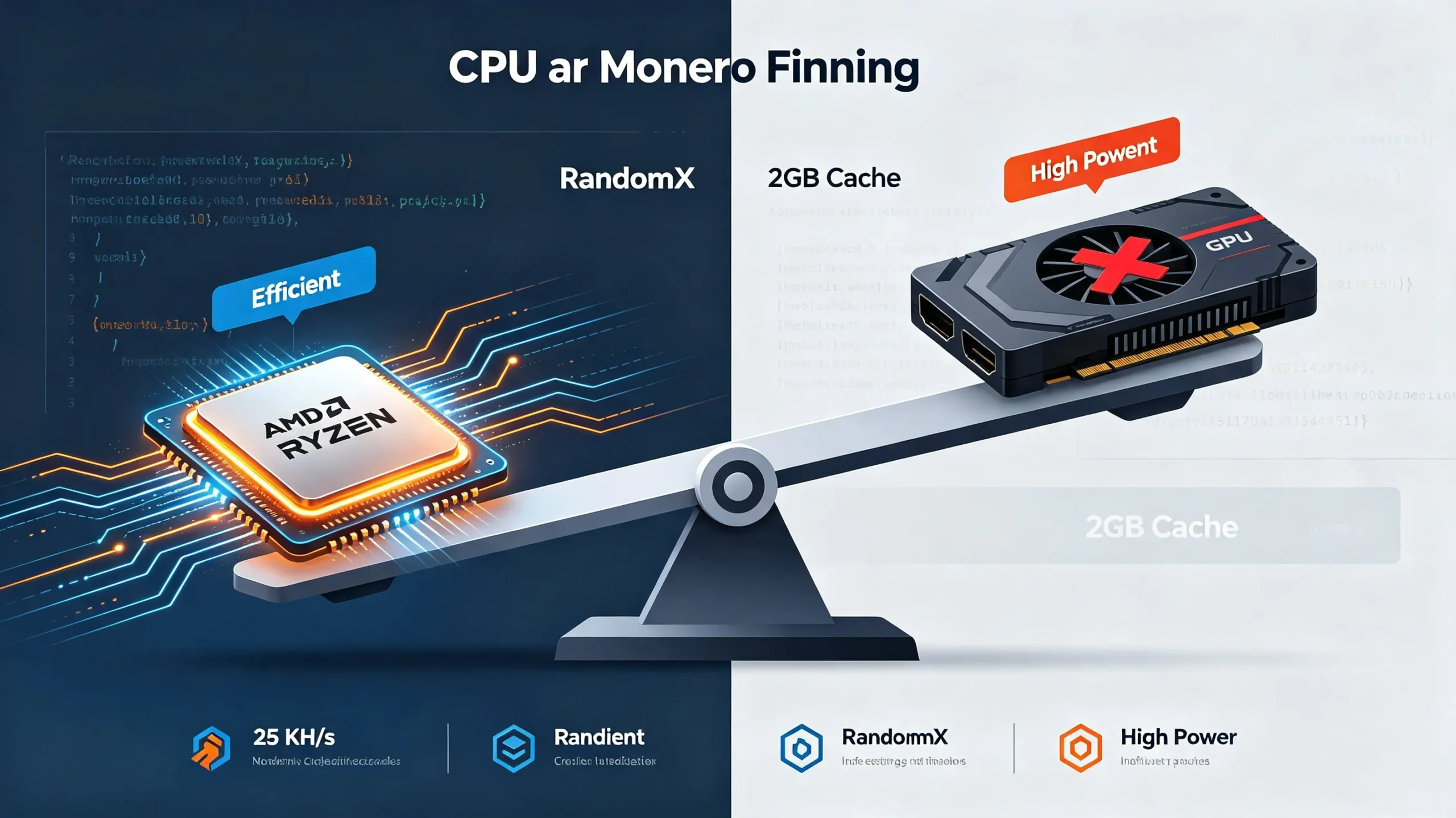
Before the RandomX upgrade, Monero used CryptoNight-based algorithms, and GPUs often provided a good balance of hashrate and efficiency. This is no longer the case. RandomX is deliberately designed to use a large, random memory footprint and favor general-purpose CPUs with decent cache and fast RAM.
In practice this means:
-
A good desktop CPU can match or outperform many GPUs on Monero hash rate
-
GPUs typically consume more power per hash on RandomX
-
Buying GPUs specifically to mine Monero is almost never cost-effective
GPUs can run RandomX but typically produce lower hashrate per watt than a good CPU. If you already own a GPU and want to experiment, fine. Buying one specifically for Monero mining is usually a mistake.
For new Monero miners, the best way is to use a modern multi-core CPU + XMRig + a reputable mining pool.
Monero Mining Hardware: What You Actually Need
CPU Mining (Most Efficient for RandomX)
Modern CPUs dominate Monero mining due to RandomX optimizations. A modern multi-core desktop CPU with a large L3 cache is what you need. AMD Ryzen processors consistently outperform Intel on RandomX due to their cache architecture and memory bandwidth.
Here are the top performers for 2026:
| CPU Model | Hashrate (H/s) | Power Draw | Est. XMR/day |
|---|---|---|---|
| AMD Threadripper Pro 7995WX | ~30,000+ | High TDP | ~0.004-0.005 |
| AMD Ryzen 9 7950X | ~25,000-28,000 | ~170W | ~0.003-0.004 |
| AMD Ryzen 9 7950X3D | ~22,000 | Excellent | ~0.003 |
| AMD Ryzen 9 5950X | ~19,000-22,000 | ~105W | ~0.0025-0.003 |
| Intel Core i9-14900K | ~18,500 | Good | ~0.002-0.0025 |
| Intel Core i9-13900K | ~14,000-17,000 | ~125W | ~0.002-0.0025 |
| AMD Ryzen 5 5600X | ~8,000-10,000 | ~65W | ~0.001-0.0015 |
Estimates based on current network difficulty and XMR price. Figures change with network conditions.
AMD CPUs generally outperform Intel in hashrate-to-watt ratios. AMD Ryzen processors dominate Monero mining because of their large L3 caches and strong memory bandwidth. If you’re new to crypto mining, a CPU you already own is the easiest place to start.
System Requirements
You also need:
-
At least 8GB of RAM, with 2GB allocated per mining thread
-
Stable cooling: Mining generates heat; ensure adequate airflow
-
Reliable power supply: A power supply that isn’t living on the edge
Overclocking can yield 10-15% gains but requires careful cooling and stability testing.
GPU Mining: Not Recommended
A modern high-end GPU pulls hundreds of watts to produce hashrates that a decent CPU can match or beat with better efficiency. If you already own a GPU and want to experiment, fine. But buying one specifically for Monero mining is usually a mistake.
GPUs technically work, but they make little sense anymore.
Setting Up Your Monero Wallet
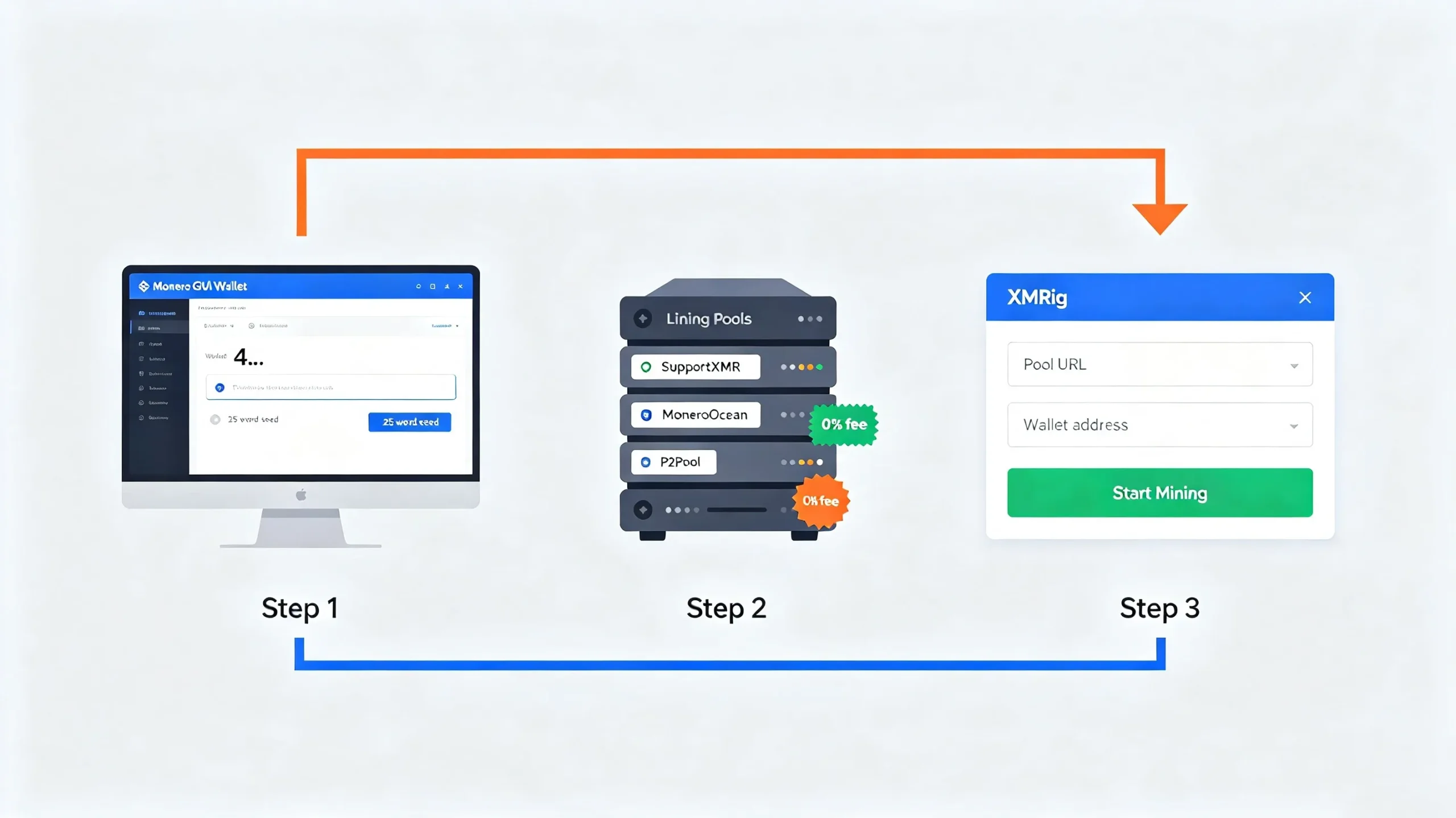
Before you start mining, you need a Monero wallet address to receive payouts. The official Monero wallet is available at getmonero.org/downloads/.
Types of Monero Wallets
GUI Wallet (Graphical User Interface): The official Monero GUI wallet is the most user-friendly option. It includes a full node and wallet software. The GUI bundle includes wallet software and the Monero daemon. The wallet is created in $HOME/Monero/wallets/ by default.
CLI Wallet (Command Line Interface): The official Monero CLI wallet is the most direct interface to Monero’s wallet tooling. It is more powerful but requires comfort with the command line.
Step-by-Step: Setting Up the GUI Wallet
-
Download the official package from getmonero.org
-
Verify cryptographic signatures to ensure the download is authentic
-
Install the software for your operating system (Windows, macOS, or Linux)
-
Create a new wallet or restore an existing one from a seed phrase
-
Set a strong password for wallet protection
-
Write down your 25-word seed phrase and store it securely offline
-
Wait for the blockchain to sync — this can take time and requires sufficient disk space
Important Security Considerations
-
Never share your private keys or recovery phrases
-
Store your 25-word seed phrase on paper or steel, not digitally
-
For advanced security, generate a wallet on an offline machine, export the view key, and build a view-only wallet on your online machine to watch incoming funds
-
It’s highly recommended to create a new wallet for mining because wallet addresses are public on P2Pool
Disk Space Requirements
If you plan to run a full node (required for P2Pool mining), you’ll need:
-
150+ GB of free disk space for the full Monero blockchain
-
Or ~50 GB with pruning enabled
Choosing a Mining Pool: Centralized vs. P2Pool
Once you have a wallet, you need to decide how to mine. There are three common ways to mine Monero in 2026.
Centralized Pools
Traditional mining pools work by aggregating miners’ hash rate under a central operator. When the pool finds a block, the operator splits the reward among participants.
Advantages:
-
Easiest to set up
-
Regular, predictable payouts
-
Low minimum payout thresholds
Disadvantages:
-
You rely on a pool operator’s infrastructure and policies
-
Pool operators can be pressured by governments to censor transactions
-
They can exit scam with miners’ pending balances
-
They can be shut down by authorities, cutting off thousands of miners
Best centralized pools for Monero in 2026: SupportXMR, MoneroOcean. Fees range from 0% to 1%.
P2Pool (Decentralized Pool)
P2Pool is a revolutionary approach to cryptocurrency mining that applies the same principles of decentralization to mining pools that Monero applies to transactions. The Monero network actively encourages P2Pool to avoid the risk of centralized pools accumulating too much of the network hash rate.
How P2Pool works: P2Pool creates a secondary blockchain—a “sidechain”—that runs in parallel with the Monero mainchain. Miners submit shares to this sidechain, creating a record of each miner’s contribution. When any P2Pool miner finds a Monero mainchain block, the block reward is split according to the share record on the P2Pool sidechain. There is no central server. Each miner runs their own P2Pool node, and these nodes form a peer-to-peer network.
P2Pool’s Advantages:
-
0% fee: No pool fee charged
-
No registration: No account, no email, no KYC
-
Minimum payout of 0.00027 XMR: Direct to your wallet with every block the pool finds
-
Uncensorable: No central operator can be pressured to block your payouts
-
Transparent: The P2Pool sidechain is publicly verifiable
-
Privacy-preserving: Your wallet address is visible on the P2Pool sidechain but not linked to any personal identity
Requirements:
-
Storage: 150+ GB free disk space for the full Monero blockchain (or ~50 GB with pruning)
-
RAM: At least 4 GB (8 GB recommended)
-
Internet: A stable, always-on connection
Such as NiceHash Pool
NiceHash supports ASIC, GPU and CPU mining. It supports over 30 different algorithms and is the preferred platform for all types of miners. It is also suitable for both amateur miners and professional mining operations.
Solo Mining
Solo mining means mining on your own, without a pool. When you find a block, you keep the entire reward.
Advantages:
-
Most independent
-
No pool fees
-
Full reward when you find a block
Disadvantages:
-
Payouts are highly irregular unless you have very large hashrate
-
You may mine for months or years without finding a block
Which Should You Choose?
As a default for beginners: start with a reputable pool if you want the simplest setup, and consider P2Pool mini once you are comfortable and want a more decentralized approach.
Step-by-Step: How to Mine Monero with XMRig
XMRig is the most popular mining software for RandomX. It runs on Linux, Windows, and macOS. This section covers the general setup process.
Step 1: Download XMRig
Download XMRig from the official GitHub release page. The XMRig developer provides pre-built binaries for Windows users.
Step 2: Extract the Files
Extract the downloaded archive to a folder on your computer.
Step 3: Configure the Miner
XMRig can be configured by command-line flags, but the safer workflow is a configuration file (usually config.json) stored next to the miner executable. This is preferred because:
-
It reduces mistakes (you are not retyping long commands)
-
You can change one setting at a time and keep a working baseline
-
You can keep separate configs (pool mining vs P2Pool, low-power vs full-speed)
You can also use the XMRig configuration wizard at xmrig.com/wizard to generate a config file.
Step 4: Configure Pool Settings
In the config file, you need to specify:
-
Pool URL: The stratum address of your chosen pool
-
Wallet address: Your Monero wallet address
-
Worker name: An identifier for your rig (optional)
Example configuration for a centralized pool:
"pools": [
    {
        "url": "pool.supportxmr.com:3333",
        "user": "YOUR_WALLET_ADDRESS",
        "pass": "x",
        "tls": false
    }
]
Step 5: Run the Miner
Run the XMRig executable. On Windows, double-click xmrig.exe. On Linux/macOS, run ./xmrig from the terminal.
Step 6: Monitor Your Mining
-
Check the miner’s console output for hashrate and accepted shares
-
Visit your pool’s website to verify your worker is submitting shares
-
Monitor temperature and system stability
Step 7: Check Your Efficiency
You can check your estimated hashrates at xmrig.com/benchmark. This helps you understand what your hardware should be capable of before you start mining.
Mining on Windows: A Beginner-Friendly Approach
Windows is the most accessible platform for beginners. Here’s how to mine Monero on Windows in 2026.
What You Need
-
A Windows PC with a modern CPU
-
At least 8GB of RAM
-
Stable internet connection
-
A Monero wallet address
Step-by-Step Setup
Step 1: Download the Monero GUI Wallet
Download the official Monero GUI wallet from getmonero.org. Create a wallet and note your wallet address.
Step 2: Download XMRig
Download XMRig from the official GitHub release page. Extract the files to a folder.
Step 3: Configure XMRig
Use the XMRig configuration wizard at xmrig.com/wizard to generate a config.json file. Enter your pool details and wallet address.
Step 4: Run XMRig
Double-click xmrig.exe to start mining. You may need to allow the program through your Windows firewall.
Step 5: Monitor Your Progress
Check the pool’s website to see your hashrate and earnings.
Important Windows Notes
-
Antivirus software often flags Monero mining executables as malware because they contain RandomX mining code. You may need to add an exception.
-
Windows is convenient on desktop machines, but antivirus software often interferes.
-
For dedicated rigs, Linux is generally more stable.
Mining on Linux: The Serious Miner’s Choice
Linux is the preferred operating system for serious miners. It offers stability, no licensing costs, and excellent headless (remotely managed) operation.
Why Choose Linux?
-
Stability: Linux can run for months without rebooting
-
No license cost: Free to use
-
Works well headless: Can be managed remotely via SSH
-
More control: Full access to system settings and optimization
Basic Setup
Step 1: Install Dependencies
sudo apt update
sudo apt install build-essential cmake git
Step 2: Download XMRig
git clone https://github.com/xmrig/xmrig.git
cd xmrig
mkdir build && cd build
cmake ..
make -j$(nproc)
Step 3: Configure XMRig
Create a config.json file or use command-line options.
Step 4: Run XMRig
./xmrig -o pool.supportxmr.com:3333 -u YOUR_WALLET_ADDRESS -p x
Advanced Optimization
-
Use
niceto adjust process priority -
Use
tasksetto pin the miner to specific CPU cores -
Consider using huge pages for better performance
Mining on macOS: Is It Worth It?
XMRig runs on macOS (both Intel and ARM). However, macOS is not ideal for dedicated mining due to thermal constraints and power efficiency.
Setting Up on macOS
Step 1: Install Homebrew (if not already installed)
Step 2: Install dependencies
brew install cmake git
Step 3: Download and build XMRig (follow the Linux build instructions)
Step 4: Configure and run
Important Notes
-
MacBooks are not designed for sustained high CPU load
-
Thermal throttling will reduce hashrate significantly
-
Apple Silicon (M1/M2/M3) can mine but with limited efficiency
-
For serious mining, use a desktop or dedicated server
The ASIC Question: Antminer X5, X9, and the New Reality
This is the uncomfortable truth many older guides avoid: ASICs now exist for RandomX. Bitmain shattered the CPU-mining monopoly by releasing the Antminer X5 and X9—the first commercially successful RandomX ASICs.
The Antminer X5
The Bitmain Antminer X5 is the world’s first professional Monero ASIC:
-
Hashrate: 212 KH/s of RandomX
-
Power consumption: 1,350W
-
Efficiency: 6.37 J/KH
-
Release: 2023
The Antminer X9
The Antminer X9 is Bitmain’s flagship Monero ASIC:
-
Hashrate: 1 MH/s (1,000 KH/s) of RandomX
-
Power consumption: 2,500W
-
Efficiency: Significantly better than the X5
The Reality for Individual Miners
ASICs are expensive, power-hungry, and push the network toward centralization if they grow unchecked. For most individuals, they are not a realistic or sensible option.
RandomX is CPU-friendly by design, which means ASIC dominance is less complete than on SHA-256 (Bitcoin). The Monero community continues to watch ASIC development closely.
Should You Buy an ASIC?
For most individual miners: No. The cost of entry is high, power requirements are significant, and you would be competing against industrial-scale operations. A modern CPU is a more sensible starting point.
Monero Mining Profitability: The Real Numbers
Profitability is the most important question for any miner. Here is the honest math.
Current Network Conditions
-
Block reward: 0.6 XMR per block (tail emission, fixed)
-
Block time: ~2 minutes
-
Blocks per day: ~720
Daily Earnings Estimates
| CPU | Hashrate | Power | Est. XMR/day | Est. Daily Revenue* |
|---|---|---|---|---|
| AMD Threadripper Pro 7995WX | ~30 KH/s | High | ~0.004-0.005 | ~$0.70-0.90 |
| AMD Ryzen 9 7950X | ~25-28 KH/s | ~170W | ~0.003-0.004 | ~$0.55-0.70 |
| AMD Ryzen 9 5950X | ~19-22 KH/s | ~105W | ~0.0025-0.003 | ~$0.45-0.55 |
| Intel Core i9-13900K | ~14-17 KH/s | ~125W | ~0.002-0.0025 | ~$0.35-0.45 |
| AMD Ryzen 5 5600X | ~8-10 KH/s | ~65W | ~0.001-0.0015 | ~$0.18-0.27 |
Based on XMR price of ~$180, current network difficulty. Estimates change with network conditions.
Electricity Cost Sensitivity
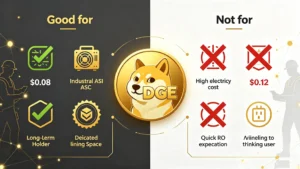
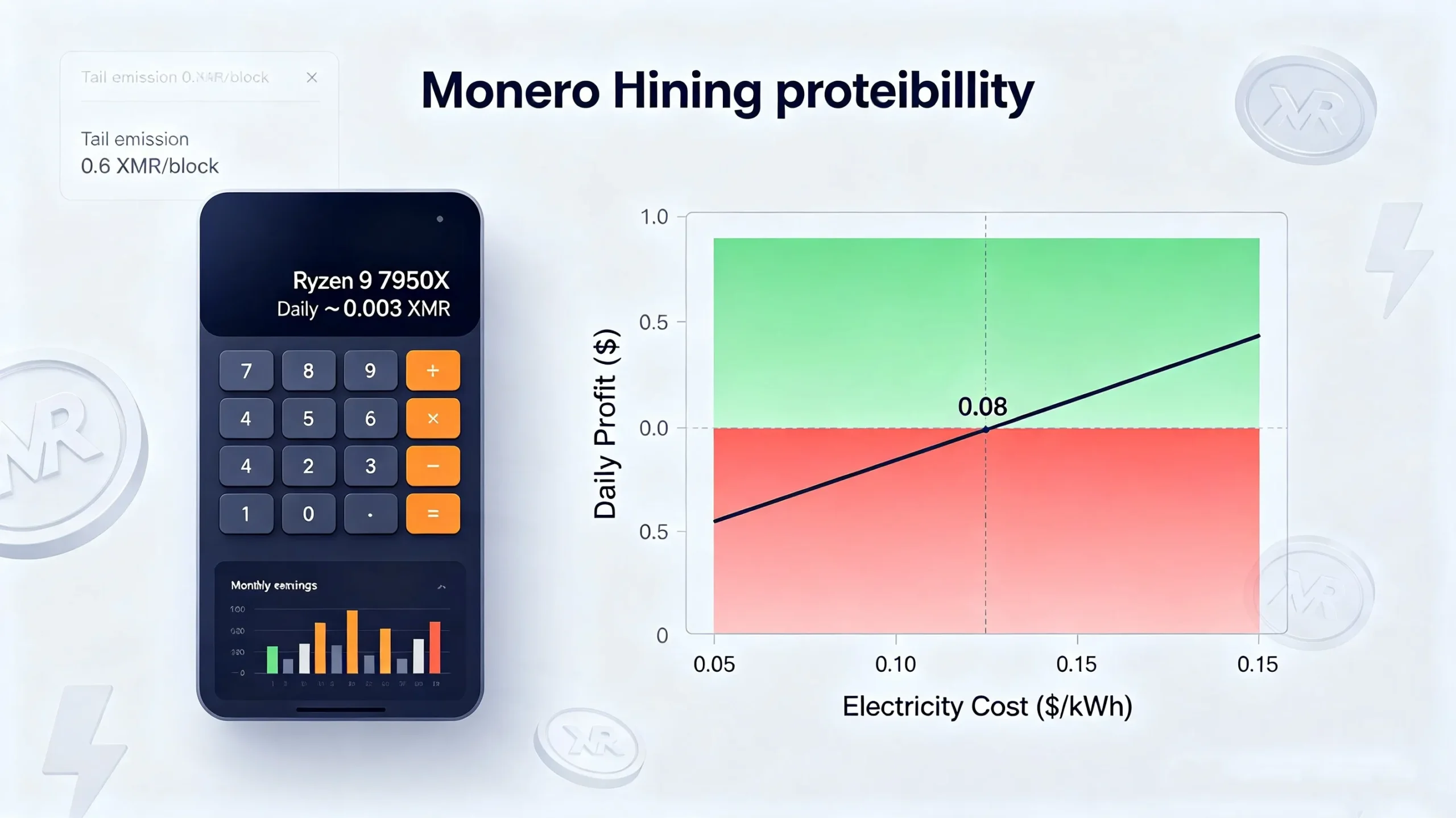
Electricity cost is the most important number in your calculation. A setup that loses money at $0.15/kWh residential rates can be solidly profitable at $0.05-0.07/kWh.
-
Below $0.08/kWh: Monero mining can be profitable for most home setups
-
$0.08-$0.12/kWh: Returns become marginal
-
Above $0.12/kWh: Mining becomes a hobby rather than a profit-making activity
The difference between two miners running identical hardware can be entirely explained by where they live and what they pay for power.
Using a Mining Calculator
For accurate profitability estimates, use a Monero mining calculator. Tools like CoinWarz and WhatToMine provide real-time calculations based on hashrate, power consumption, and electricity costs.
Compare XMR/day and profit/day estimates from multiple calculators and stress-test by lowering price or raising difficulty to see worst-case outcomes.
The Bottom Line on Profitability
Monero mining is slow, boring, and honest work. It is not a get-rich-quick scheme. But for those with cheap electricity and efficient hardware, it can at least justify itself.
Is Monero Mining Still Worth It in 2026?
This is the question every potential miner asks. The answer depends on your situation.
The Bull Case for Mining Monero
Accessibility: Monero is the only major cryptocurrency where a standard CPU is enough to mine competitively. No ASIC, no GPU needed.
Privacy Demand: With increasing surveillance and regulatory scrutiny, demand for private transactions has surged. Monero’s market cap consistently ranks in the top 20.
Tail Emission: The fixed 0.6 XMR block reward means there is no halving risk. Miners can count on consistent rewards indefinitely.
Decentralization: The RandomX algorithm ensures fair distribution of mining rewards, maintaining network integrity. By mining Monero, you support a more decentralized network.
Low Hardware Barriers: Unlike Bitcoin or Ethereum, which require specialized ASICs, Monero can be mined efficiently with consumer-grade CPUs and GPUs.
The Bear Case for Mining Monero
Marginal Profitability: For most home miners with average electricity costs, returns are modest at best.
ASIC Competition: While RandomX was designed to be ASIC-resistant, the Antminer X5 and X9 now exist. Industrial ASIC miners can outcompete CPUs.
Network Difficulty: As more miners join, difficulty increases, reducing each miner’s share.
Hardware Costs: While cheaper than ASICs, high-end CPUs still require significant investment.
Who Should Mine Monero?
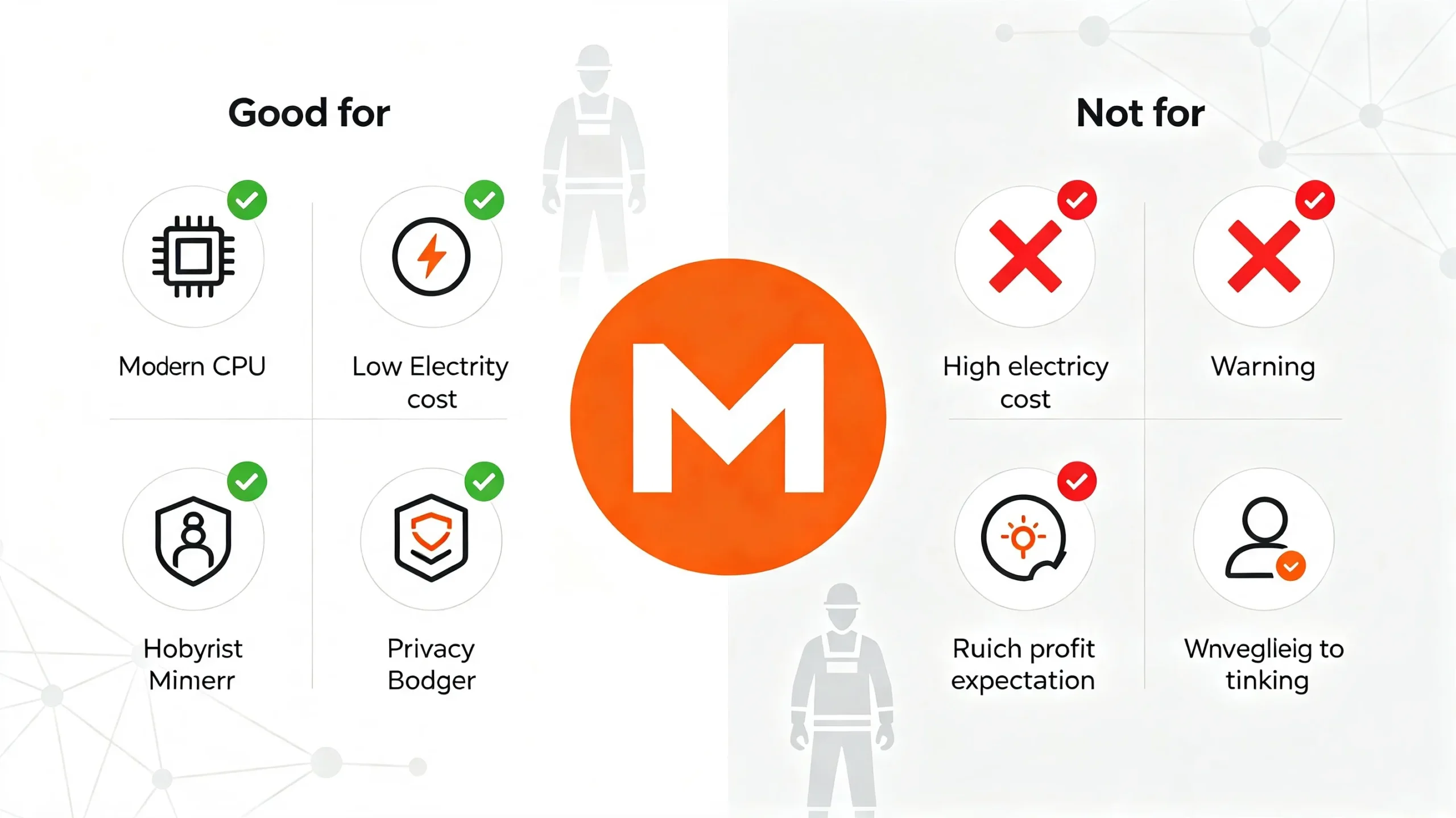
Ideal candidates:
-
People who already own a modern multi-core CPU
-
Those with electricity costs below $0.08/kWh
-
Individuals who care about privacy and want to support the network
-
Those who understand mining is a hobby, not passive income
Not ideal for:
-
Those expecting significant profits
-
People with high electricity costs
-
Anyone unwilling to deal with setup and maintenance
The Verdict
Monero mining in 2026 is a viable activity for hobbyists, privacy advocates, and those with cheap electricity. It is not a path to wealth. But as one guide puts it: “Monero mining is slow, boring, and honest work”. If you understand that going in, everything else becomes much simpler.
Common Mistakes and How to Avoid Them?
Mistake 1: Mining with a GPU
Many beginners assume GPU mining is best because it works for other coins. For Monero, this is wrong. A modern high-end GPU pulls hundreds of watts to produce hashrates that a decent CPU can match or beat with better efficiency.
Fix: Use a modern CPU for Monero mining.
Mistake 2: Ignoring Electricity Costs
Electricity cost is the most important number in your calculation. Many miners start without calculating their actual electricity cost and are surprised when they lose money.
Fix: Calculate your electricity cost per kWh and use a mining calculator before starting.
Mistake 3: Using the Wrong Wallet Address
Zcash has transparent and shielded addresses; Monero has subaddresses and integrated addresses. Using the wrong address format can result in lost payouts.
Fix: Use your primary wallet address (the standard address starting with 4) for mining.
Mistake 4: Not Verifying Software
Downloading mining software from untrusted sources can expose you to malware.
Fix: Always download XMRig from the official GitHub repository. Verify cryptographic signatures when possible.
Mistake 5: Overlooking Antivirus Issues
Antivirus software often flags Monero mining executables as malware because they contain RandomX mining code.
Fix: Add an exception for your mining software folder. Be aware that some antivirus programs may still interfere.
Mistake 6: Mining on a Laptop
Laptops are not designed for sustained high CPU load. Thermal throttling will reduce performance, and prolonged mining can damage hardware.
Fix: Use a desktop computer with adequate cooling.
Mistake 7: Ignoring Pool Fees
Different pools charge different fees, from 0% to 1%. Over time, fees add up.
Fix: Compare pool fees and choose one that balances cost with reliability.
Frequently Asked Questions
What is Monero?
Monero (XMR) is a privacy-focused cryptocurrency that uses advanced cryptography to obscure transaction details, making it the preferred choice for users prioritizing financial privacy.
What algorithm does Monero use?
Monero uses RandomX, a proof-of-work algorithm designed to run efficiently on general-purpose CPUs and resist ASIC optimization.
Can I mine Monero with a GPU in 2026?
Yes, but it is not recommended. GPUs typically produce lower hashrate per watt than a good CPU. Buying a GPU specifically for Monero mining is usually a mistake.
What is the best CPU for Monero mining?
AMD Ryzen processors dominate Monero mining due to their large L3 caches and strong memory bandwidth. The AMD Ryzen 9 7950X produces around 25-28 KH/s.
How much can I earn mining Monero?
A high-end CPU like the AMD Ryzen 9 7950X earns roughly 0.003-0.004 XMR per day at current network difficulty. Earnings depend on hashrate, electricity costs, and network conditions.
Is Monero mining profitable in 2026?
Monero mining is profitable if your electricity is below $0.08/kWh. Above that, returns become marginal for most home setups.
What is P2Pool?
P2Pool is a decentralized mining pool that charges 0% fees, requires no registration, and has no single point of failure. It uses a sidechain to track miner contributions and pays rewards directly to your wallet.
What is the best Monero mining pool?
The best pools for Monero in 2026 are SupportXMR, MoneroOcean, and P2Pool. Fees range from 0% to 1%. Choose based on your preference for centralization vs. decentralization.
What is XMRig?
XMRig is the most popular mining software for RandomX. It is open-source, cross-platform (Linux, Windows, macOS), and highly configurable.
Do I need a full node to mine Monero?
For centralized pool mining, no—you can connect directly to the pool’s stratum server. For P2Pool mining, yes—you need to run your own Monero full node.
Are there ASICs for Monero?
Yes. Bitmain released the Antminer X5 (212 KH/s) and X9 (1 MH/s) for RandomX. They are expensive and power-hungry, making them impractical for most individuals.
What is Monero’s block reward?
Monero’s block reward is fixed at 0.6 XMR per block through tail emission. There is no halving.
How do I set up a Monero wallet?
Download the official Monero GUI or CLI wallet from getmonero.org. Create a new wallet, set a password, and securely store your 25-word seed phrase.
Final Verdict: Should You Mine Monero in 2026?
Monero mining in 2026 occupies a unique position in the cryptocurrency landscape. It is one of the few major cryptocurrencies you can still mine at home. It is accessible, privacy-focused, and offers a consistent reward structure through tail emission.
The Case for Mining Monero
Accessibility: You can start with the CPU you already own. No expensive ASIC required.
Privacy: By mining Monero, you support the leading privacy-focused cryptocurrency at a time when demand for financial privacy is growing.
Decentralization: Your mining contributes to network security and helps prevent the kind of ASIC monoculture that has swallowed Bitcoin mining.
Consistent Rewards: The tail emission model means there is no halving risk. Miners can count on consistent rewards indefinitely.
The Case Against Mining Monero
Marginal Profitability: For most home miners with average electricity costs, returns are modest. Monero mining is “slow, boring, and honest work”—not a path to wealth.
ASIC Competition: While RandomX was designed to be ASIC-resistant, ASICs now exist. Industrial operations can outcompete CPUs.
Hardware Costs: While cheaper than ASICs, high-end CPUs still require significant investment.
The Verdict
Monero mining in 2026 is worth it for the right person with the right circumstances.
Mine Monero if you:
-
Already own a modern multi-core CPU
-
Have electricity costs below $0.08/kWh
-
Care about privacy and want to support the network
-
Understand that mining is a hobby, not passive income
-
Are willing to learn and experiment with setup and optimization
Don’t mine Monero if you:
-
Expect significant profits
-
Have high electricity costs
-
Aren’t willing to deal with setup and maintenance
-
Are looking for a passive income stream
For those who fit the profile, Monero mining offers a unique opportunity to participate directly in a decentralized, privacy-focused network while earning a modest return. It won’t make you rich. But it might just make you part of something worth protecting.
As one guide puts it: “Monero mining is slow, boring, and honest work”. In a world of get-rich-quick schemes and empty promises, that honesty is worth something.