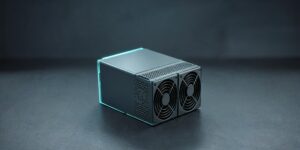
The Antminer Z15 Pro is Bitmain’s second-generation Equihash ASIC, built for miners who want Zcash exposure without dedicating a warehouse to hardware. Released in June 2023, it pushes 840 kSol/s through three hashboards while drawing 2,780W from a 240V circuit — roughly twice the output of the original Z15 in a chassis you can still lift by hand.
This introduction to the Antminer Z15 Pro covers what the machine is, how it performs in real conditions, what it costs to run, and whether it still makes sense for a home miner or small farm in 2026. If you are comparing it against the older Z15 or deciding between Zcash and another algorithm, the sections below give you the numbers to make that call.
Antminer Z15 Pro at a glance
| Manufacturer | Bitmain |
| Model | Antminer Z15 Pro (version 240-Z) |
| Release date | June 2023 |
| Algorithm | Equihash 200,9 |
| Typical hashrate | 840 kSol/s |
| Power on wall | 2,780W (25°C) |
| Efficiency | 3.31 J/kSol |
| Cooling | Air-cooled, two fans, 75 dB |
| Mineable coins | ZEC, ZEN, KMD |
The headline number is efficiency: at 3.31 J per kSol, the Z15 Pro is one of the most power-efficient Equihash miners Bitmain has shipped. That matters more than raw hashrate, because on Equihash your electricity bill is the cost that never stops.
What the Z15 Pro actually is
Bitmain’s Z15 line is purpose-built for Equihash 200,9, the memory-hard proof-of-work algorithm used by Zcash. The original Antminer Z15 arrived in 2020 with 420 kSol/s at 1,510W. The Z15 Pro doubles the hashrate to 840 kSol/s for 2,780W, which works out to about 8% better efficiency per solution.
Inside the 428 × 195 × 290 mm chassis you get three hashboards with 18 hash chips, a controller board, and a pair of front-mounted fans pushing air straight through the heatsinks. The machine is 16.9 kg bare and 18.8 kg boxed, so it is a desk-sized unit rather than a rack appliance. Networking is wired only — a single RJ45 port at 10/100 Mbps. There is no Wi-Fi, and no way to run this on a standard 120V household outlet.
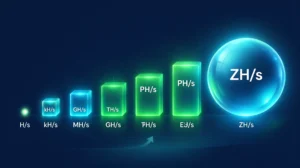
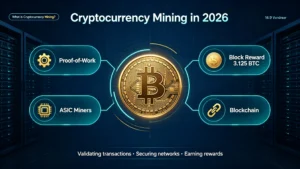
If you are new to the terminology, our guide on what hash rate means explains how kSol/s translates into shares and rewards. For the broader picture, start with what cryptocurrency mining is and how ASIC hardware fits into it.
Full specifications
| Hashrate | 840 kSol/s (±5%) |
| Power consumption | 2,780W on wall at 25°C |
| Power efficiency | 3.31 J/kSol at 25°C |
| AC input voltage | 200–240V AC, 50–60 Hz |
| AC input current | 20A |
| Recommended PSU output | 4,000W |
| Hash chips / boards | 18 chips on 3 boards |
| Networking | RJ45 Ethernet, 10/100M |
| Dimensions (bare) | 428 × 195 × 290 mm |
| Net weight | 16.9 kg |
| Noise level | 75 dB |
| Operating temperature | 0–40°C |
| Operating humidity | 10–90% RH, non-condensing |
| Operating altitude | Up to 2,000 m |
One practical note: many listings quote slightly different wattage figures because Bitmain’s firmware can run at different power targets. Treat 2,780W and 3.31 J/kSol as the official reference points, and plan your circuit for the higher end plus PSU losses — roughly 3,000W at the wall.
What you can mine with it
The Z15 Pro is locked to Equihash 200,9, which keeps the addressable market narrow but stable:
- Zcash (ZEC) — the largest Equihash network and the coin this machine was designed for. See the official Zcash project for wallet and node options.
- Horizen (ZEN) — a privacy-focused chain with its own Equihash parameters. Learn more at Horizen.
- Komodo (KMD) — a smaller Equihash network that occasionally offers better per-solution returns when ZEC difficulty spikes.
What it cannot mine is Bitcoin. SHA-256 and Equihash are different algorithms, so the Z15 Pro will never produce BTC directly — you mine ZEC or ZEN, then trade or hold. Our Equihash miner collection and Zcash miner category show how the rest of the lineup compares.
Z15 Pro vs Z15: is the upgrade worth it?
| Spec | Z15 Pro | Z15 |
| Hashrate | 840 kSol/s | 420 kSol/s |
| Power | 2,780W | 1,510W |
| Efficiency | 3.31 J/kSol | ≈3.59 J/kSol |
| Release | 2023 | 2020 |
| Best for | Efficiency-first builds | Lower capex per unit |
Two Z15 units deliver almost the same total hashrate as one Z15 Pro (840 kSol/s) while drawing about 3,020W — around 240W more at the wall. That extra draw is roughly 5.8 kWh per day, or $0.58 per day at $0.10/kWh, and it also means two power supplies, two network drops, and twice the failure points. Where panel capacity and floor space are tight, the Pro wins. Where upfront cost per kSol is the only metric that matters, the older Antminer Z15 still has a place.
Power, heat, and noise in real life
At 2,780W continuous, the Z15 Pro consumes about 66.7 kWh per day and 2,002 kWh per month. For context, that is roughly twice the daily electricity use of a typical U.S. household, concentrated into one 17 kg box. It needs a dedicated 200–240V circuit with a 20A breaker; at 240V the machine pulls around 12–13A, so a 20A circuit is workable but leaves little headroom for anything else on the same line.
All of that power becomes heat — about 9,500 BTU per hour, comparable to a small space heater running non-stop. In a cold climate that is an advantage if you can duct the exhaust into a workshop or garage. In summer, it is air conditioning load you have to pay for twice. Bitmain rates the unit for 0–40°C ambient, but sustained intake air above 30°C will push fan speeds up, increase noise, and shorten fan life. Keep the intake cool and dust-free and the machine will run quieter and last longer.
Noise is the other constraint: 75 dB is roughly a vacuum cleaner at close range. This is not an apartment or bedroom miner. A garage, shed, insulated enclosure, or container with proper airflow is the realistic setup. If noise matters more than efficiency, consider a hydro-cooled platform instead — but that is a different budget and installation class.
Running the numbers: power cost and break-even
Before you look at revenue estimates, calculate the cost you can actually control. Daily power cost = 2.78 kW × 24 hours × your $/kWh rate.
| Electricity rate | Cost per day | Cost per 30 days |
| $0.05/kWh | $3.34 | ≈$100 |
| $0.08/kWh | $5.34 | ≈$160 |
| $0.10/kWh | $6.67 | ≈$200 |
| $0.12/kWh | $8.01 | ≈$240 |
| $0.15/kWh | $10.01 | ≈$300 |
| $0.20/kWh | $13.34 | ≈$400 |
| $0.25/kWh | $16.68 | ≈$500 |
Revenue depends on hashprice — the market rate paid per unit of hashrate per day. Gross revenue = 840 kSol × current hashprice per kSol/day. Your break-even hashprice is simply the daily power cost divided by 840. At $0.10/kWh that is $6.67 ÷ 840 = $0.0079 per kSol/day. If the live hashprice for Equihash sits above that figure, the machine covers its electricity; below it, you are paying to mine. Check the current number on ASIC Miner Value or your pool’s calculator, and use your own rate from the EIA electricity data if you are in the U.S.
For a full payback estimate, add hardware cost and subtract ongoing costs. Example: if the pool pays $20 per day and power costs $6.67, net contribution is $13.33 per day. Against a $9,200 purchase price, that is roughly 690 days — about 23 months — before pool fees, cooling, downtime, and difficulty growth. Stress-test the plan at a 30% lower hashprice and a $0.15/kWh rate before you buy; if the numbers still work, the investment has margin.
Zcash’s November 2024 halving cut block rewards from 2.5 ZEC to 1.25 ZEC, and network difficulty keeps climbing as more machines come online. Both push hashprice down over time, which is why efficiency — not headline hashrate — is the spec that protects your margin.
Setting up the Z15 Pro
- Prepare the circuit. Install a dedicated 200–240V line with a 20A breaker and the correct plug for your region. Do not run it on a shared household circuit, an extension cord, or a 120V outlet.
- Connect Ethernet. Plug the RJ45 cable into your router or switch. The miner uses DHCP by default; find its IP in your router’s client list or with a network scanner.
- Open the dashboard. Browse to the miner’s IP address, log in with the default credentials, and change the password immediately.
- Configure a pool. Enter the pool URL, your wallet address and worker name, and a password field (usually
x). For ZEC, a common starting point is 2Miners’ Zcash pool. Solo mining is possible but rarely sensible at 840 kSol/s — read our solo mining guide before going that route. - Verify hashrate and temperatures. Within 15–30 minutes the dashboard should show close to 840 kSol/s with accepted shares. Check chip temperatures and fan RPM; a board running hot usually means airflow or ambient temperature problems.
- Leave the firmware alone. Stock Bitmain firmware is stable. Only update from official sources, and avoid unofficial overclocking firmware on a machine you rely on for income.
Maintenance and warranty
The Z15 Pro has no liquid loop and no moving parts beyond two fans, so maintenance is mostly about dust. Blow out the heatsinks and fans every two to four weeks in a dirty environment, and check that both fans spin freely. Log temperatures weekly; a slow rise over months is usually dust or a failing fan, and both are cheap to fix compared with a dead hashboard.
Bitmain’s warranty terms vary by model and region. Keep the serial number and purchase invoice, and review the official Bitmain support terms before shipping anything back. Units sold by X-ON MINING are tested before dispatch, and buyers receive a verification video so you know the machine mined before it left the warehouse.
Who should buy it — and who should not
The Z15 Pro is a good fit if you pay under $0.10/kWh, have a 240V circuit and ventilated space, and want concentrated exposure to Zcash without managing a large fleet. It is a poor fit for apartments, for anyone on 120V only, or for miners whose power costs more than $0.15/kWh — at that rate the machine is working mostly for the utility company.
If you want lower upfront cost and have spare panel capacity, the standard Z15 is the budget alternative. If you want Bitcoin instead of Zcash, look at SHA-256 machines such as the Antminer S19 series rather than an Equihash unit.
Where to buy the Antminer Z15 Pro
X-ON MINING stocks the Antminer Z15 Pro 840 kSol/s with a power supply included, DDP shipping options for many destinations, low-value declaration support, and technical support after the sale. Current listing price is around $9,200, and availability moves quickly because Equihash hardware is produced in smaller batches than Bitcoin miners.
Before ordering, confirm three things: the PSU is included and rated for 4,000W, the shipping terms cover duties for your country, and the seller provides a test video and serial number. Those details separate a clean transaction from a customs surprise. You can browse more hardware guides in our mining machine blog.
Frequently asked questions
What algorithm does the Antminer Z15 Pro use?
Equihash 200,9 — the same algorithm used by Zcash (ZEC), Horizen (ZEN), and Komodo (KMD). It cannot mine SHA-256 coins such as Bitcoin.
How much power does the Z15 Pro draw?
2,780W on wall at 25°C, with 3.31 J/kSol efficiency. Plan for roughly 3,000W including PSU losses and use a 200–240V circuit with a 20A breaker.
Is the Antminer Z15 Pro loud?
Yes. Bitmain rates it at 75 dB, which is about the level of a vacuum cleaner. It belongs in a garage, shed, or dedicated mining room, not a living space.
Is the Z15 Pro still profitable in 2026?
That depends on your electricity rate and the current Equihash hashprice, not on the machine alone. Divide your daily power cost by 840 to get your break-even hashprice per kSol/day, then compare it with live pool data. At $0.10/kWh, break-even is about $0.0079 per kSol/day.
Does it come with a power supply?
Bitmain sells the miner separately from the PSU in some regions, but X-ON MINING listings include a power supply. Confirm this on the product page before checkout, and make sure the unit is rated for 4,000W output.
Z15 Pro or two regular Z15s?
One Z15 Pro is simpler: same total hashrate as two Z15s, about 240W less power, one circuit, and one point of failure. Two Z15s cost less upfront and spread risk across two machines.